Tutorials • Webuzo
Domain Management in the Webuzo panel
Learn how to manage additional domains in the Webuzo panel. The tutorial covers the steps for editing, deleting, and adding domains and subdomains.
4
Views 1676Updated 1 anPublished on 14/09/2017by Alexandru R.
Introduction
- In this tutorial we will present how to manage or modify additional domains in the Webuzo control panel.
Requirements
- a Webuzo account
Steps
- After logging in to the Webuzo admin panel, we will go to the Domain section and click on Manage Domains.

- After accessing "Manage Domains", we will find the complete list of domains displayed. From this window, domains and subdomains can be edited, deleted, or even added.
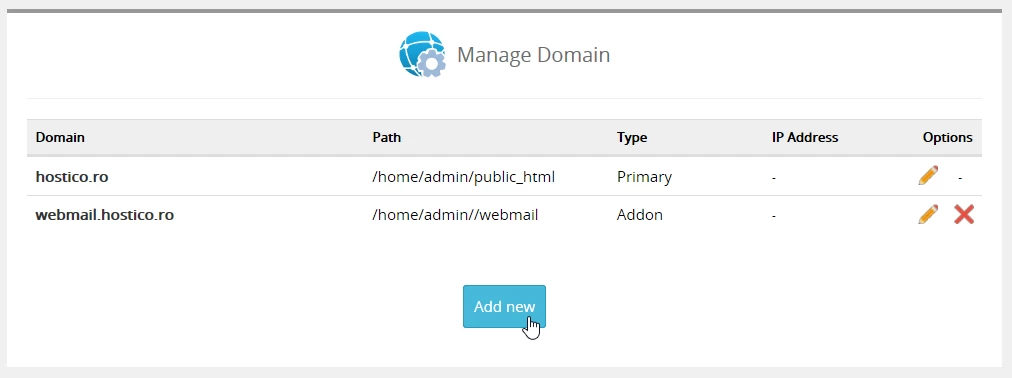
To edit or delete a domain in the webuzo panel, we will use the icons on the right (the pencil and X),
- The Pencil icon will be used to edit the added/existing domain or subdomain.
- The icon X will be used to completely delete the domain or subdomain.
- To add a domain or subdomain, we will use the Add new button which will open the Add New Domain window.