Tutorials • Commercial
Authentication (Logging in) to the Hostico client account.
Learn how to log in to your Hostico client account, with simple steps for logging in and information about password recovery.
6
Views 2927Updated 2 aniPublished on 01/07/2017by Mark D.
Introduction:
- In this tutorial, the necessary steps for logging into the Hostico client account will be presented.
Requirements:
- A Hostico client account - if it does not exist, you can access the tutorial: Creating a Hostico client account to explain the necessary steps to create one.
Steps:
- After accessing the site, in the upper right part, the CLIENT, section is accessed, an action that will open the account login page.
- in the E-mail field - fill in with the email address used to create the client account.
- in the Password field - fill in with the password set during the client account creation.
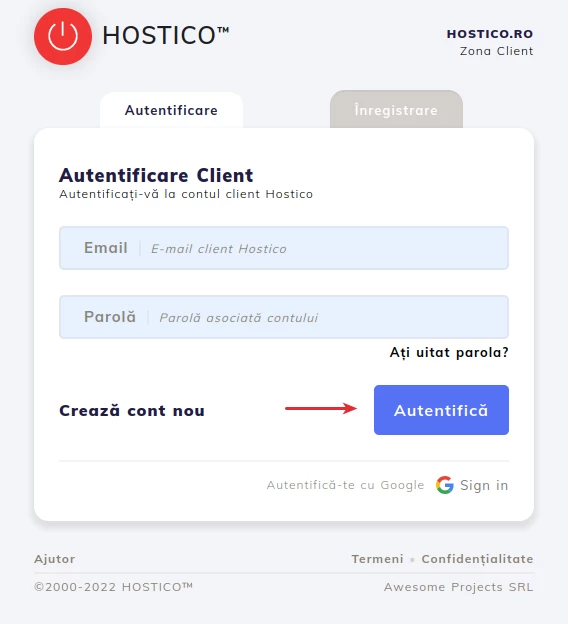
At the end, press the Authenticate button to access the client account.
Note: If you do not remember the password needed to authenticate in your account, access the tutorial Client account password reset Hostico to view the necessary steps for password regeneration.