Tutorials • Commercial
Downloading invoices in RON from the Hostico client account.
Presentation of the steps necessary for downloading/viewing invoices in RON from the Hostico client account.
Views 1089Updated 2 aniPublished on 18/10/2022by Mark D.
Introduction
Presentation of the steps to download invoices in RON from the Hostico client account.
Requirements
- Hostico client account;
- A fiscal/proforma invoice issued in account;
- Accessing the client account at the link hostico.ro (Not on hostico.com)
Steps
After logging into the Hostico client area (login -> hostico.ro), you will access the Financial section;
Next to the invoice you wish to download in RON, click on Print;
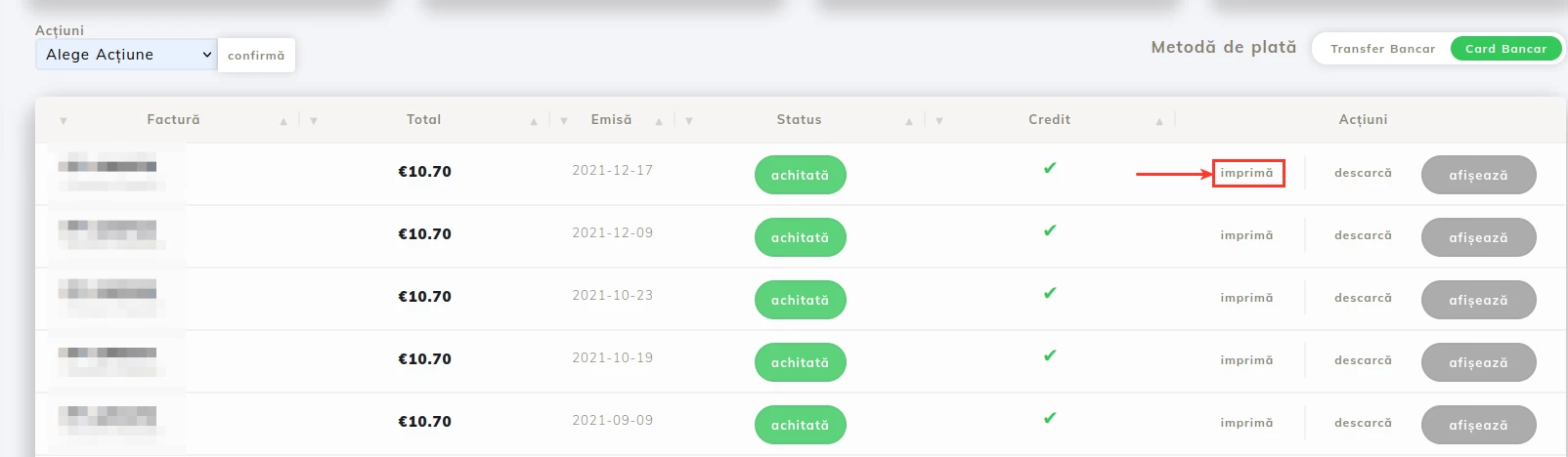 After printing the invoice, it can be viewed in RON.
Note:
- The invoice will only be viewable in RON from the hostico.ro version (the hostico.com extension does not display invoices in lei);