Tutorials • Plesk
Installing an SSL certificate in the Plesk panel
Learn how to install an SSL certificate in the Plesk panel, step by step, from authentication to uploading the necessary files.
Views 1151Updated 2 aniPublished on 16/07/2021by Eduard K.
Introduction
In this article, we will explain the necessary steps for installing an SSL certificate in the Plesk panel
Requirements
- Access to the Plesk account, user and password.
- The files of a certificate with its three specific elements:
- certificate, private-key, ca-bundle, which are usually found in three files with or without an extension, with their specific names, sometimes they are compressed into a single archive (.zip), obtained online from the issuing institution or the company from which you purchased that SSL certificate.
- A simple text editor (e.g., Notepad) to open each of the three SSL component files with it, from which further all text will be copied in order (select all + copy), later to be pasted into the fields mentioned in the steps section below.
- Optional - an unarchiving program (usually included in the operating system) - necessary in case the files are sent to you in an archive.
Steps
- We log into the control panel with the data related to our account.

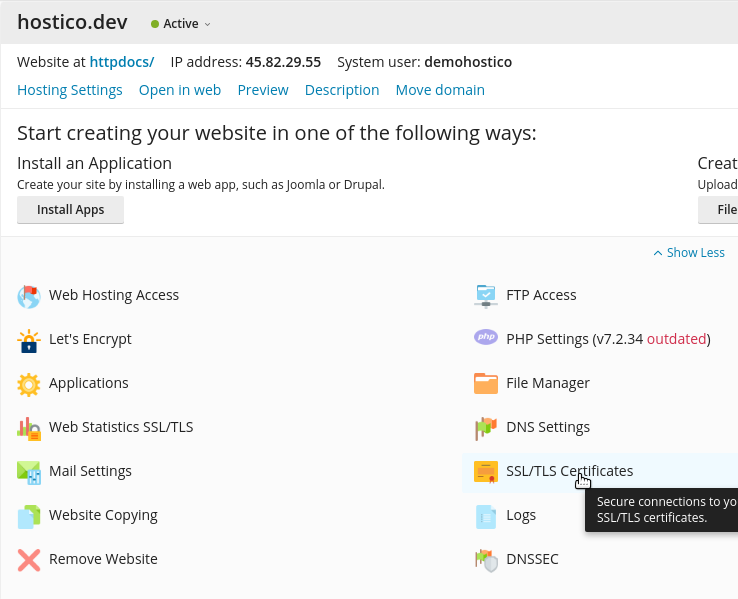
- In the domain for which we want to install the certificate, we will select the SSL/TLS Certificates menu
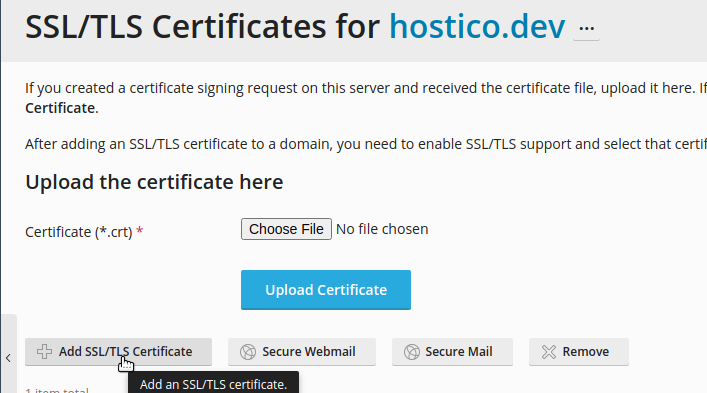
- We will click on Add SSL/TLS Certificates
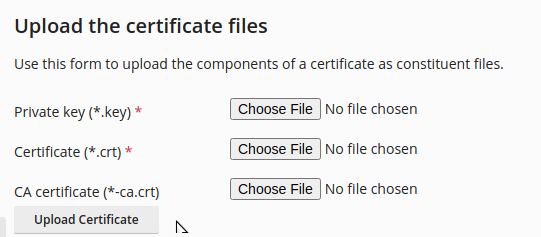
- Installation can be done either by uploading files
- Or by adding the text ∈ the boxes related to the txt format.
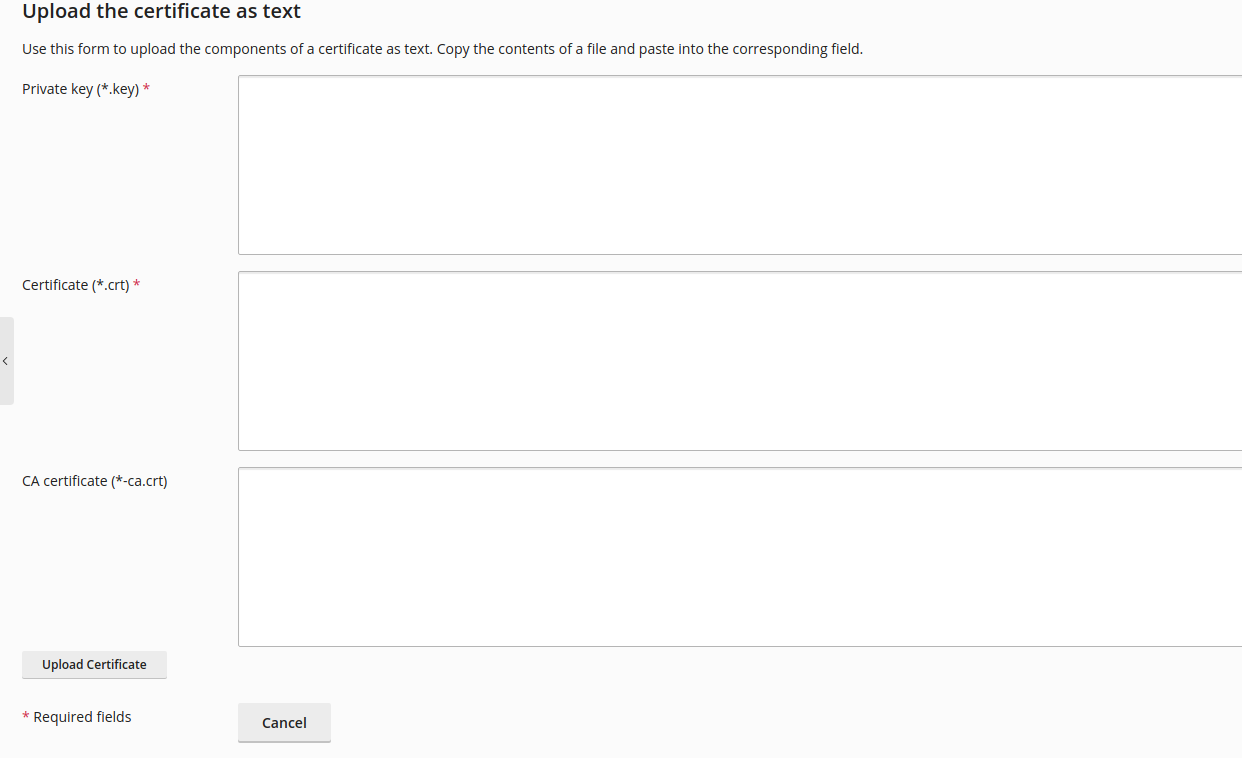
- After which the Upload Certificate button is pressed.