Tutorials • Commercial
Updating email preferences.
Update your email preferences in your Hostico account to receive personalized notifications about maintenance, services, promotions, and security.
Views 1598Updated 12 orePublished on 09/04/2022by Mark D.
Introduction
This article will present every aspect of the personalized notification system and the steps necessary to activate it at the customer account level;
Requirements
A Hostico customer account actively;
A valid email address;
Steps
- Immediately after logging into the client account, we access the menu on the left side of the page, then we will go to the Edit Profile;
field.
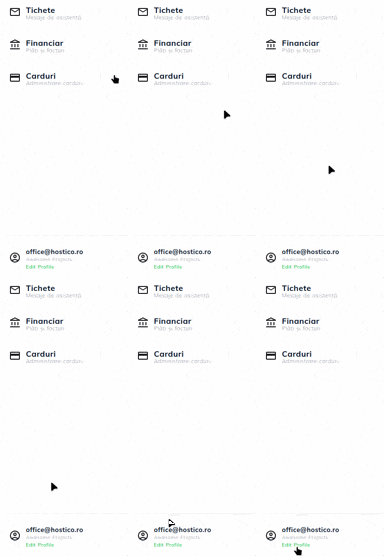
- From here, you will go to the bottom of the page until the section Email Preferences;
- As you can see in the image below, the first 3 categories are enabled by default as they are messages that can have a direct impact on the client account and related services, while the last three are optional;
- We check the categories for which we want to receive messages and complete the procedure by pressing the Confirm; button.
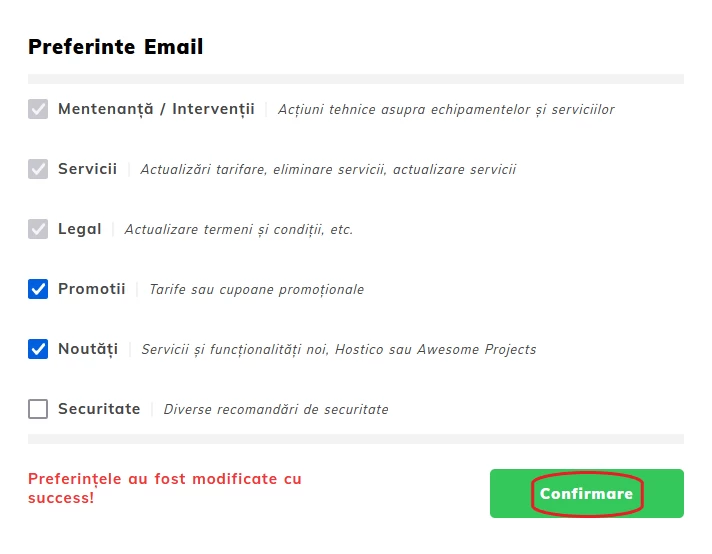
The categories are as follows:
Mandatory:
• Maintenance/Interventions (technical actions on equipment and services that may lead to interruptions);
• Services (price updates, service removals, service updates, etc.);
• Legal (update of terms and conditions, etc.);
Optional:
• Promotions (rates or promotional coupons);
• News (implementation of new services and features, documentation within Hostico or Awesome Projects);
• Security (various security recommendations);
Note
- The notifications will be sent at regular intervals of time, but no less than 30 days from the last notification (except in cases of urgency);
- Unsubscribing can be done by following the procedure explained earlier, the options that are no longer necessary will be unchecked.