Creating an SQL user in the ISPConfig panel.
Learn how to create an SQL user in ISPConfig, step by step, and associate it with databases for your applications. Follow the simple instructions for setup.
Introduction
- The ISPConfig control panel provides the ability to add SQL users, which can then be associated with databases to be used in various applications.
Requirements
- The administration details of the ISPConfig panel received in the email inbox associated with the Hostico account when the VPS was activated.
Steps to follow
- First, we will connect to the ISPConfig control panel using one of the access addresses: https://SERVERNAME:10200 or https://SERVER_IP:10200 or https://DOMAIN.XX:10200

In the main page of the panel, the "Sites" tab will be selected.

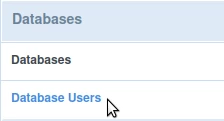
On the next page, select "Database Users" from the left menu.
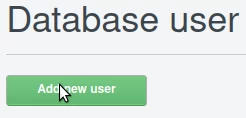
In the page that will be displayed, we will click on the "Add new user" button
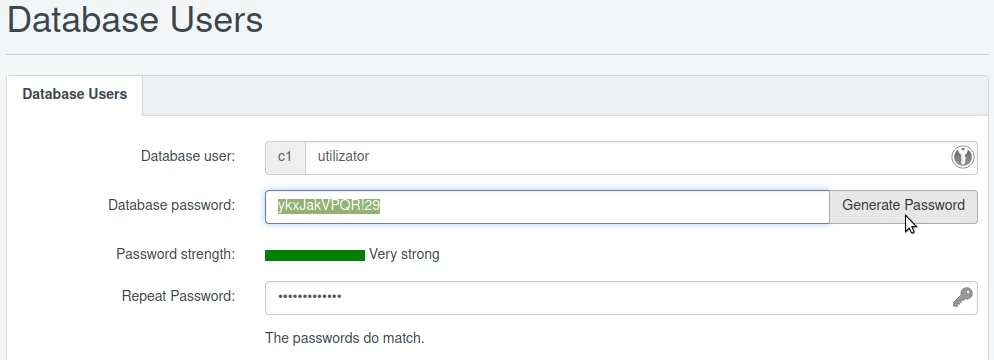
In the following interface, the data will be filled in as follows:
-Database user: the desired username will be filled in. The user will be automatically prefixed with the text from the gray box on the left side of the field. In the example in the image below, the user "c1utilizator" will result;
-Repeat Password: the same password will be entered for confirmation;
At the end, click the "Save" button at the bottom of the page.

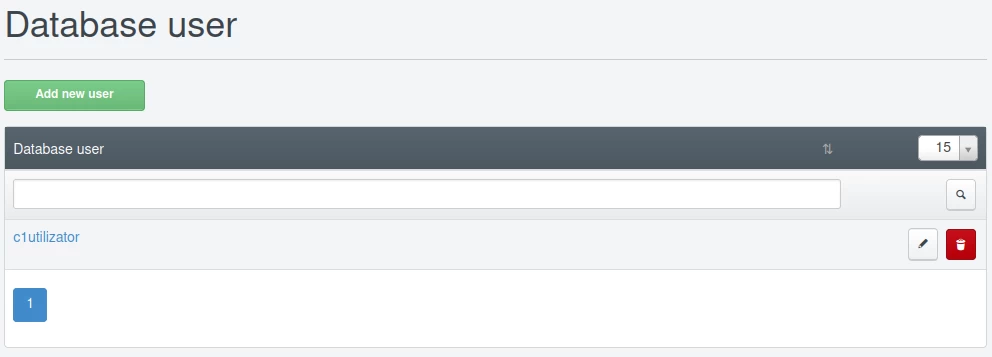
After saving the SQL user, it will be found on the main page of the "Database users" menu, where it can also be edited or deleted if necessary, by pressing the buttons located to the right of the created SQL user.