Tutorials • cPanel
Creating and viewing a database in cPanel MySQL® Databases
Learn how to create and view databases in cPanel MySQL. Follow the simple steps to manage users and their permissions.
Views 884Updated 4 aniPublished on 26/09/2018by Florin P.
Introduction
- In this tutorial we will show you how to create and view databases in MySQL® Databases.
Requirements
- Access to the cPanel account.
Steps
- After logging into the cPanel account, we will go to the Databases section, and then click on MySQL® Databases.

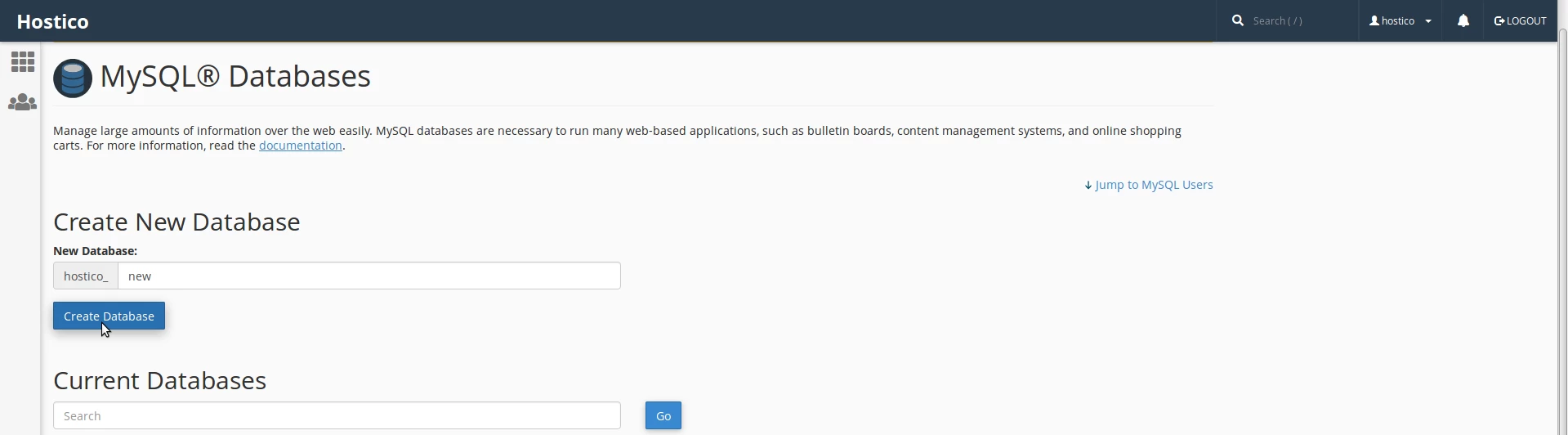
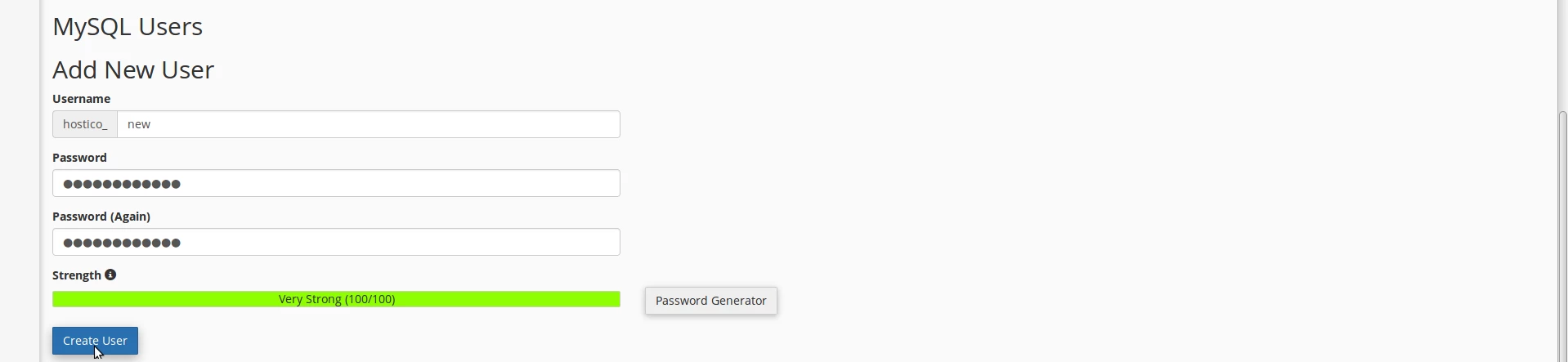
- On the next page, we will create the database with the desired name, the user and their password, and then we will add the database user and provide the necessary permissions.
- Step 1 is creating the database.
- Step 2 is creating the database user.
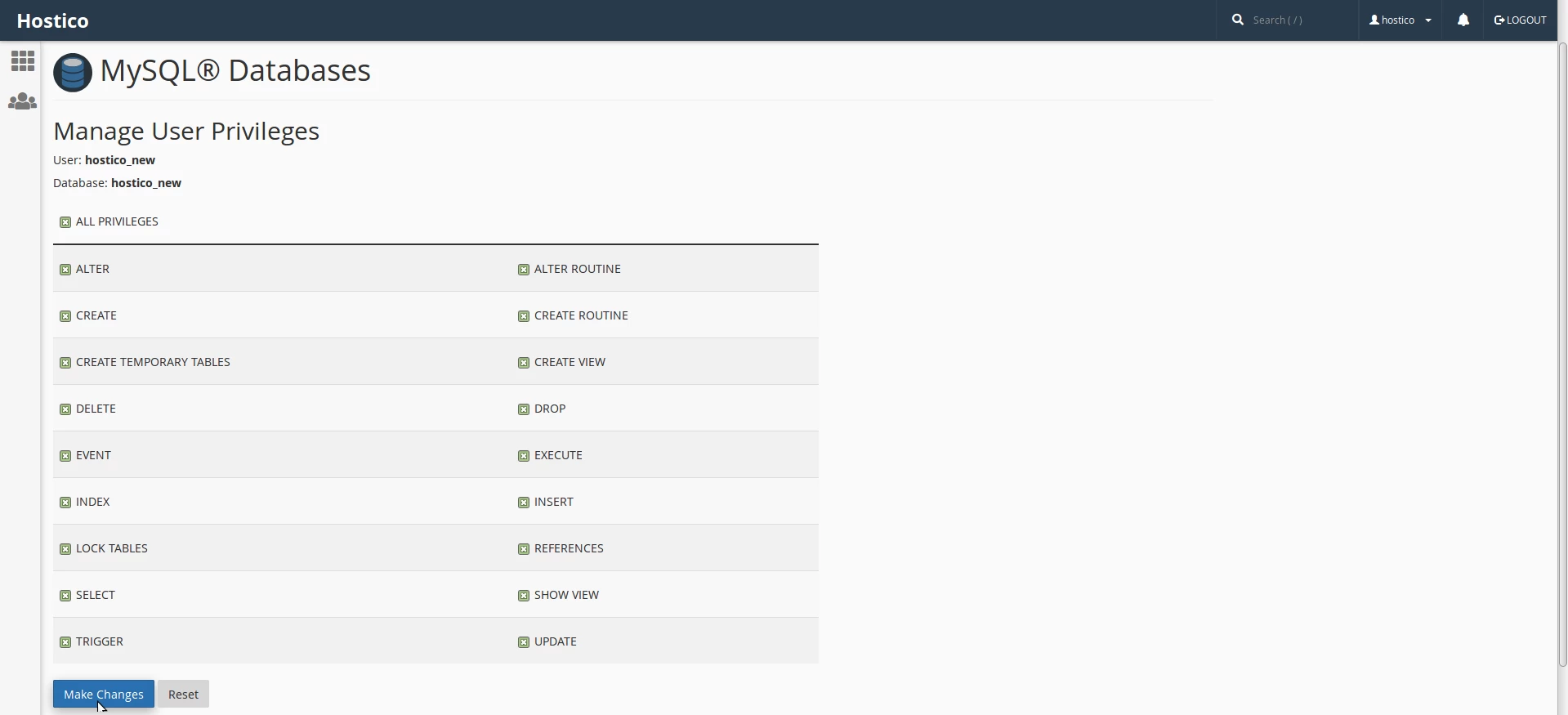
- Step 3 is allocating the user to the database and granting permissions.
- We select the desired database and user in the fields below, and then click the Add button.

- Step 4 involves providing the necessary permissions. We check the ALL PRIVILEGES box, and then click the Make Changes button.
- Here we can view the existing databases and users.

- For database users, we have the following 3 options available:
- Change Password - changing the password for the database user.
- Rename - renaming the database user.
- Delete - deleting the database user.
