Tutorials • Plesk
Creating a Plesk mail account
Learn how to create and access an email box in Plesk, step by step, to efficiently manage your online communications.
1
Views 1020Updated 1 anPublished on 16/07/2021by Alexandru J.
Introduction
- In this tutorial, we will present how to create and access a mailbox in the Plesk administration panel.
Requirements
- A Plesk account
Steps
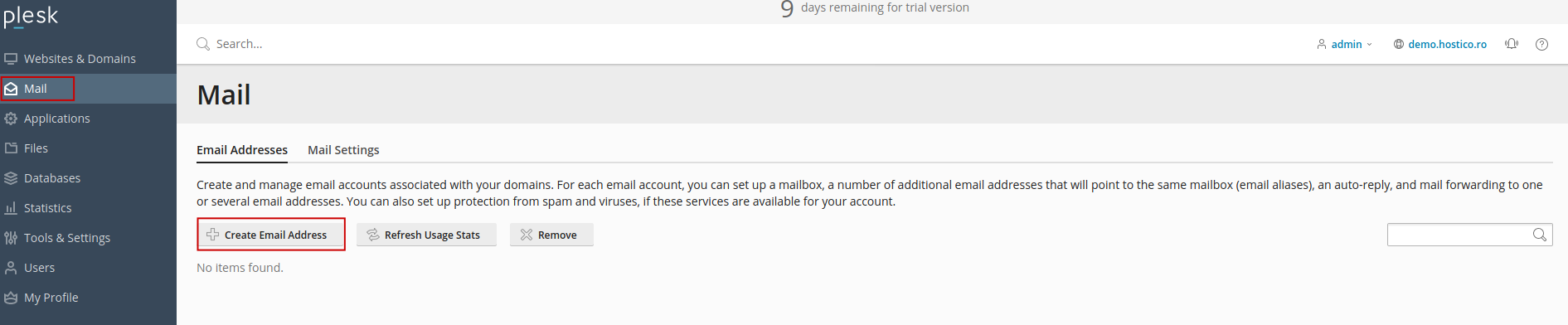
- After logging into the Plesk administration panel, we will select the Mail section on the left side, where, in the default Email Addresses window, we will find the Create Email Address button.
- In the next window, fill in the fields according to the requirements: the email address name, domain (select the desired domain), external email address (another address for you to recover the credentials of the one created in case you lose them), and the password, which must necessarily contain numbers, letters, and special characters.
- The mailbox quota is recommended to be set to unlimited, after which we click on Ok

- After creating the mailbox, it will appear in the Mail section where we can access it either by clicking on the icon to the right of it
 or by using the Webmail interface via the link https://webmail.domain.ro or https://domain.ro/webmail
