Tutorials • Commercial
Cancellation of a domain renewal.
In this tutorial, the steps required for canceling the proforma invoice generation for domains will be presented.
Views 1903Updated 2 aniPublished on 20/08/2018by Mark D.
Introduction
- This tutorial describes the steps required for canceling the automatic generation of the proforma invoice for domains;
Requirements
- existing Hostico client account;
- an active domain.
Steps
- After logging in to the Hostico client account, go to the Domains section;
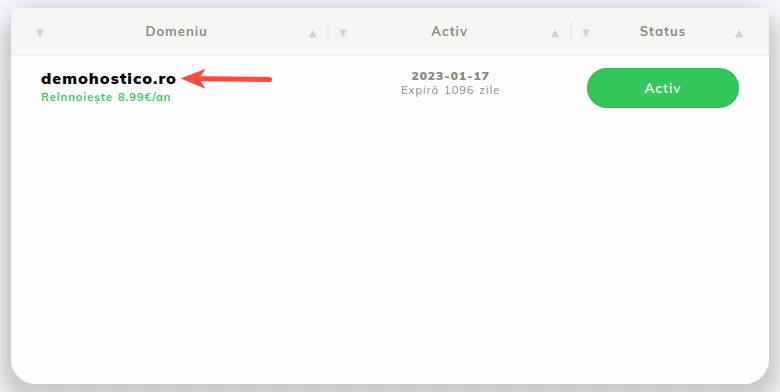
- The next step is selecting the domain for which the automatic generation of the proforma invoice is to be canceled;
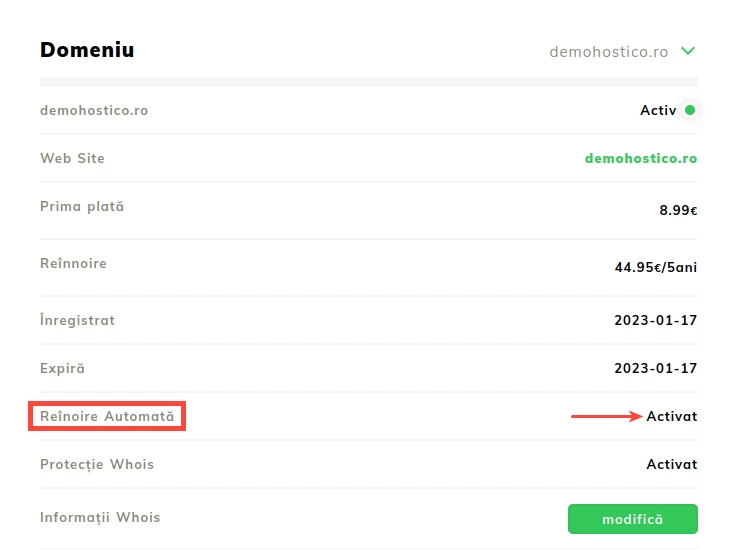
 In the opened menu, in the Automatic Renewal section, click on the status „Activated” to modify it;
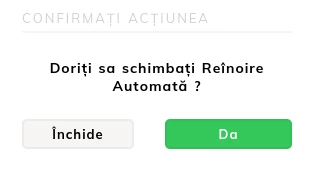
- The open window allows us to Deactivate the automatic generation of the domain renewal invoice;
- To finalize the action, click on the Yes;
- If the process was successfully completed, the status of the automatic renewal will be changed from Activated to Deactivated.
Note
- This option only disables invoice generation and does not refer to the automatic renewal of the domain!
- This option can be reactivated at any time by following these steps.
- Attention - with this option enabled from Hostico, no notifications regarding domain expiration will be received. It should be activated only for domains that will no longer be used/whose renewal is no longer desired.